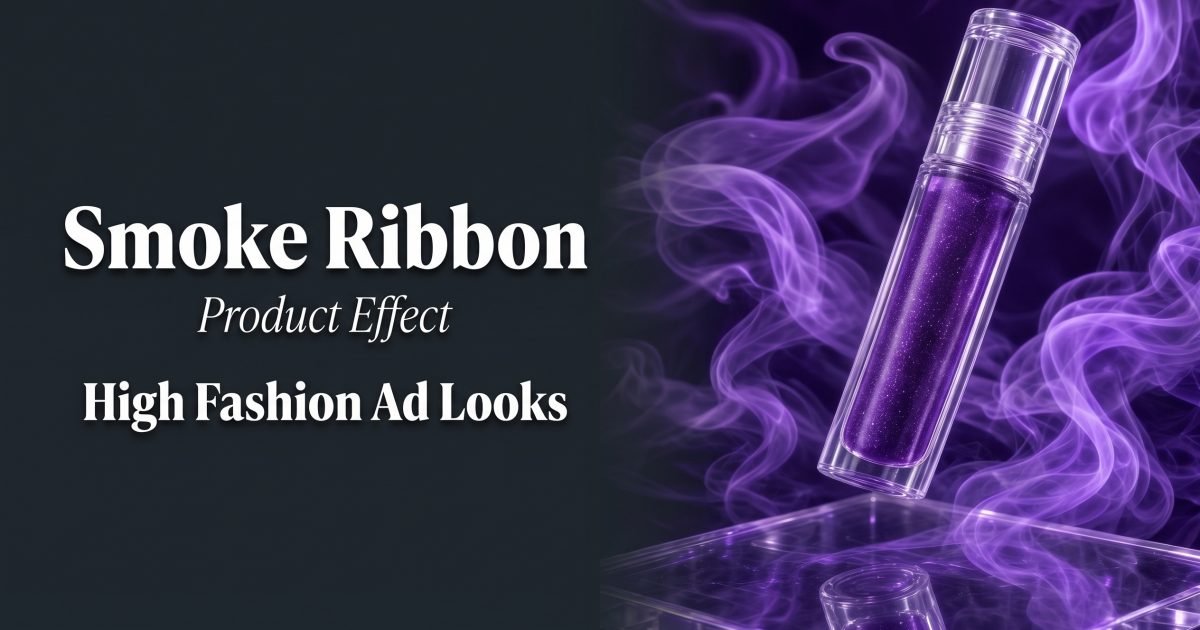
Smoke ribbon product effect styling turns a simple packshot into a high-fashion opener. A controlled curl of violet vapor adds movement around the product while direct flash, a reflective surface, and a clear label keep the frame ready for an ad.
Why smoke ribbon product effect styling works
The visual has one job: make a shopper stop before the product disappears in a feed. Smoke creates a path for the eye, then leads it back to the tube, bottle, shoe, or compact. It can feel editorial without needing a crowded set. That makes the smoke ribbon product effect a strong fit for beauty launches, fragrance drops, jewelry, and limited colorways.
Keep the product as the sharpest, brightest object. The smoke should frame it, not cover the front label. One color family works better than a rainbow mix. Violet reads polished beside clear acrylic; cherry red can suit a bold lip product; pale blue can give skincare a colder, cleaner mood.
Four high-fashion smoke ribbon product effect looks
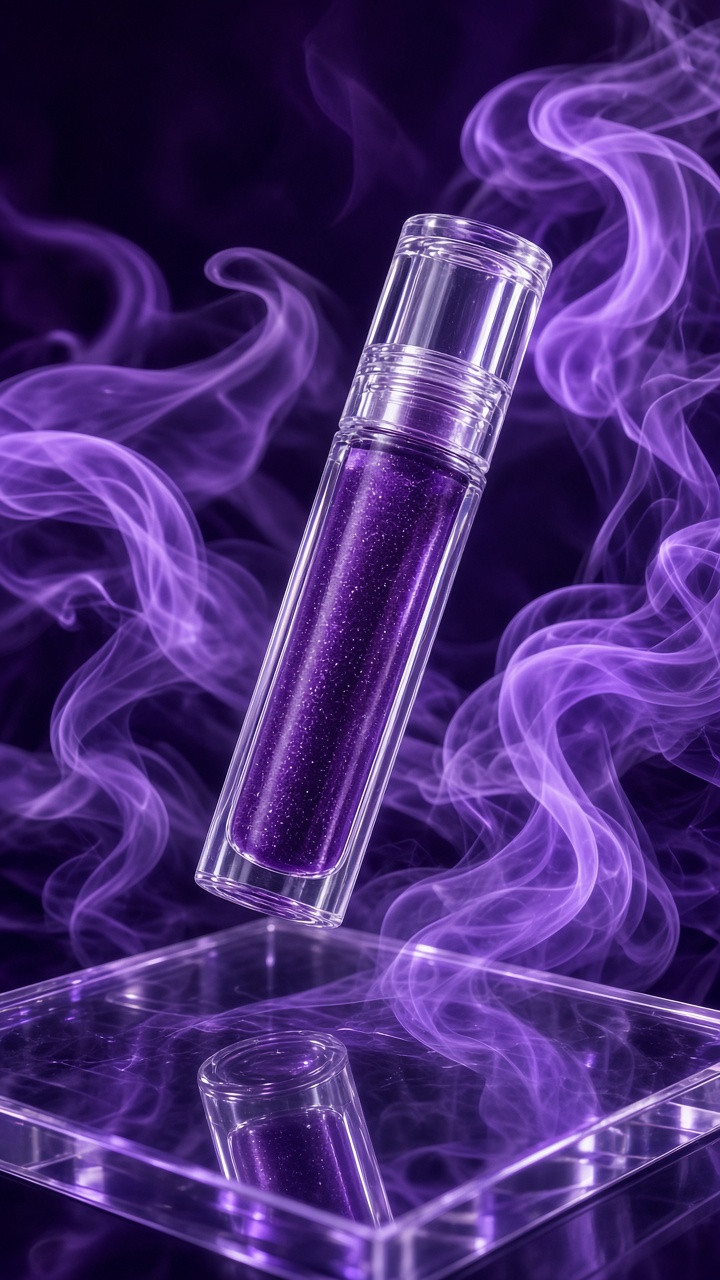
1. Violet vapor close-up
Start with a tight crop of one hero item. Put the product on black acrylic or a dark violet background, then ask for a single ribbon to enter from one side and curve behind the cap. The front face needs clean negative space so the product name survives a small-screen crop.
Example prompt: “Close-up luxury lip gloss standing on glossy black acrylic, one translucent violet smoke ribbon curling behind the tube, direct studio flash, crisp front label, deep plum backdrop, editorial beauty campaign, vertical 9:16.”
Use this look for a new shade announcement or a three-second opening frame. If the smoke looks too heavy, reduce it to one thin strand and ask for more empty space around the logo.
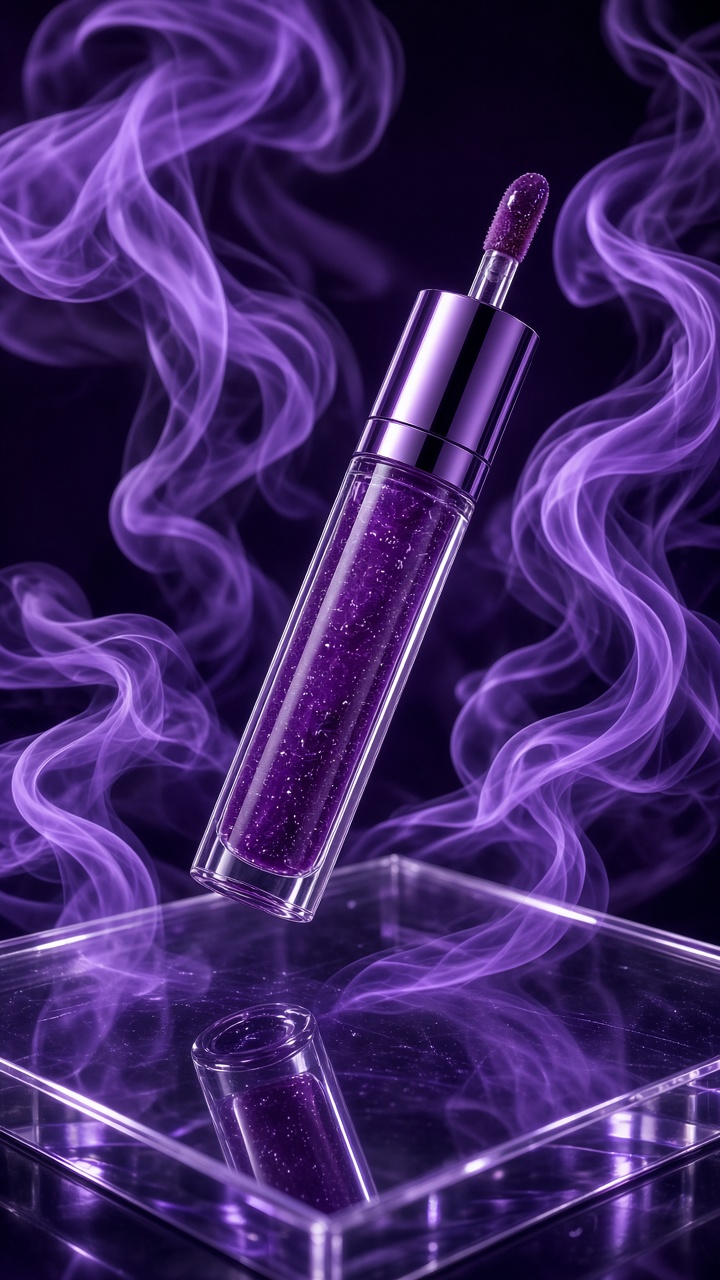
2. Acrylic reflection
Clear acrylic gives the smoke ribbon product effect a second visual layer without adding props. Place the product on a low transparent block. Let the reflection sit below the item, then keep the smoke behind it. The result feels like a beauty editorial rather than a foggy stage scene.
Example prompt: “Premium perfume bottle on a clear acrylic pedestal, restrained lavender smoke ribbon drifting behind the bottle, clean reflection below, hard flash, cool gray studio, precise glass edges, high-fashion product advertisement.”
Watch the base of the bottle. A warped reflection makes an otherwise good image feel artificial. Choose the cleanest version, crop out any odd edge, and leave a little room above the cap for a headline or price card.
3. Backlit color halo
For a brighter campaign, place a light source behind the smoke. The ribbon becomes a glowing halo while the product stays dark and defined in front. This version suits translucent skincare, body mist, colorful headphones, or a drink can with a strong silhouette.
Example prompt: “Glass serum bottle centered in front of a soft lavender backlight, narrow lilac smoke ribbon forming a loose halo, bright rim light, clean label facing camera, pale reflective floor, modern cosmetic campaign.”
Keep the light slightly off-center. A dead-center glow can flatten the product. In a carousel, use the halo frame first, then follow with a clean detail shot of the applicator, texture, or ingredient.
4. Ribbon sweep for a product reveal
This variation gives the still a clear motion cue. Start with the product partly hidden by a ribbon at the edge, then let the smoke sweep past to reveal the full packshot. It works best when the item has a strong vertical shape, such as a mascara tube, fragrance bottle, candle, or sneaker.
Example prompt: “Cobalt sneaker on a mirrored pedestal, one electric blue smoke ribbon sweeping from left to right, product fully visible at center, dramatic side flash, clean charcoal backdrop, premium streetwear campaign.”
Do not use five ribbons at once. One sweeping line gives a video editor an obvious direction for motion. It also leaves room for a short hook such as “New shade” or “Made to glow.”
How to make the look without losing the product
- Pick a clean source image. Use a front-facing product photo with the label readable and the silhouette complete. Remove busy props first.
- Choose one material. Acrylic, mirror, or matte paper is enough. Mixing all three turns the set into a styling exercise instead of an ad.
- Set one smoke color. Match it to a secondary package color, not the exact label color. Contrast helps the product hold its place.
- Specify the path. Say whether the ribbon curls behind the product, forms a halo, or sweeps across the edge. Vague smoke instructions often create haze over the label.
- Check the thumbnail. View the frame small. If the brand mark cannot be read, brighten the front face or thin the smoke.
For a manual composite, build the smoke on a separate layer and test blend modes at low opacity. Adobe’s blending mode guide is a useful reference when a smoke layer looks too flat or too dark. The same principle applies to generated frames: preserve the product edges and avoid muddy shadows.
For more reflective styling ideas, pair this treatment with the liquid chrome product effect. The two looks share a glossy, high-contrast finish, but smoke feels softer and more atmospheric.
Turn the image into a short product video
Use the smoke ribbon product effect as the first beat, not the entire ad. Start on a dark crop for half a second. Let the ribbon move aside or orbit slowly. Hold on the product for the next second, then cut to a close detail or a simple offer card. That sequence gives the viewer a visual change before the selling message arrives.
Keep movement slow. Fast vapor can look like a special effect rather than a premium product scene. A small push-in, gentle smoke drift, and sharp final packshot are enough. Add audio that matches the mood, but let captions carry the product name and offer for sound-off viewers.
The smoke ribbon product effect also works beyond beauty. Use warm amber ribbons around a candle, ice-blue vapor behind a tech accessory, or soft rose smoke around jewelry. The rule stays the same: one product, one color direction, one clear line of motion.
Make this for your own products in VideoMagic
Turn a plain product photo into scroll-stopping video – free to start.