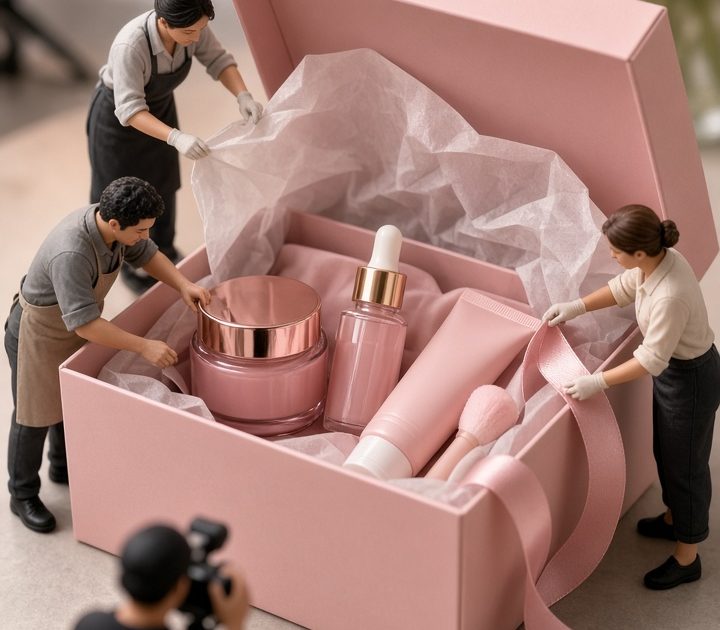
Miniature worker effect turns one product photo into a tiny production set. The product stays large and easy to read, while a small crew wraps, polishes, lifts, labels, or arranges it. That contrast gives a familiar packshot a second beat: first the viewer notices the product, then they notice the people at work around it.
Why the miniature worker effect works for product ads
Small figures make scale clear in a split second. A moisturizer jar feels more substantial when a worker is buffing its lid. A sneaker box feels more giftable when a crew is tying the ribbon. The trick is that the product still does the selling. Keep the logo, silhouette, and key color visible, then let the workers supply the action.
This format also gives a seller several ways to use the same hero image. A still can become a product-page detail, a carousel cover, or the first frame of a short vertical video. For the motion version, use a slow push-in, a gentle side slide, or one small moving prop. Fast camera moves make the visual gag harder to spot.
1. Styling crew reveal
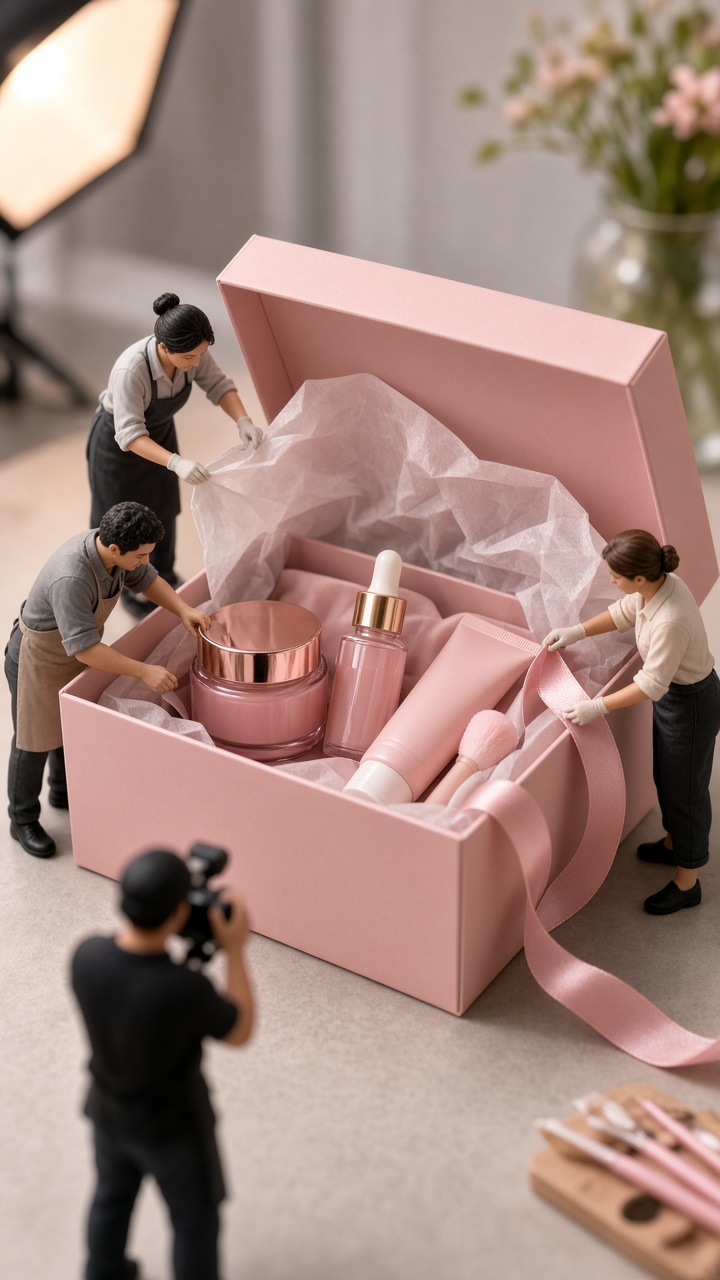
Use this look when the package has a ribbon, label, tissue paper, charm, or lid worth showing. Place two or three workers near one detail, rather than scattering people across every empty corner. One worker holds the ribbon taut. Another checks the label. A third stands by with a small ladder. The jobs should be readable even on a phone screen.
Prompt direction
Try: “Premium skincare gift box on a clean cream studio surface, tiny fashion stylists in neutral workwear arranging the satin ribbon and straightening a gold label, realistic miniature scale, soft side light, sharp product logo, editorial product photography.” Swap the gift box for a fragrance bottle, candle, jewelry case, or coffee tin.
Keep the crew colors quiet if the packaging already has a strong palette. Black, white, khaki, and denim work well. If the product is minimal, add one accent color that matches the label. Shoot from a slightly low angle so the box feels monumental without hiding its front panel.
Use this version for gifting campaigns, launch announcements, and premium bundles. A three-second edit can start wide, then move closer as a worker pulls the ribbon into place.
2. Packing crew close-up
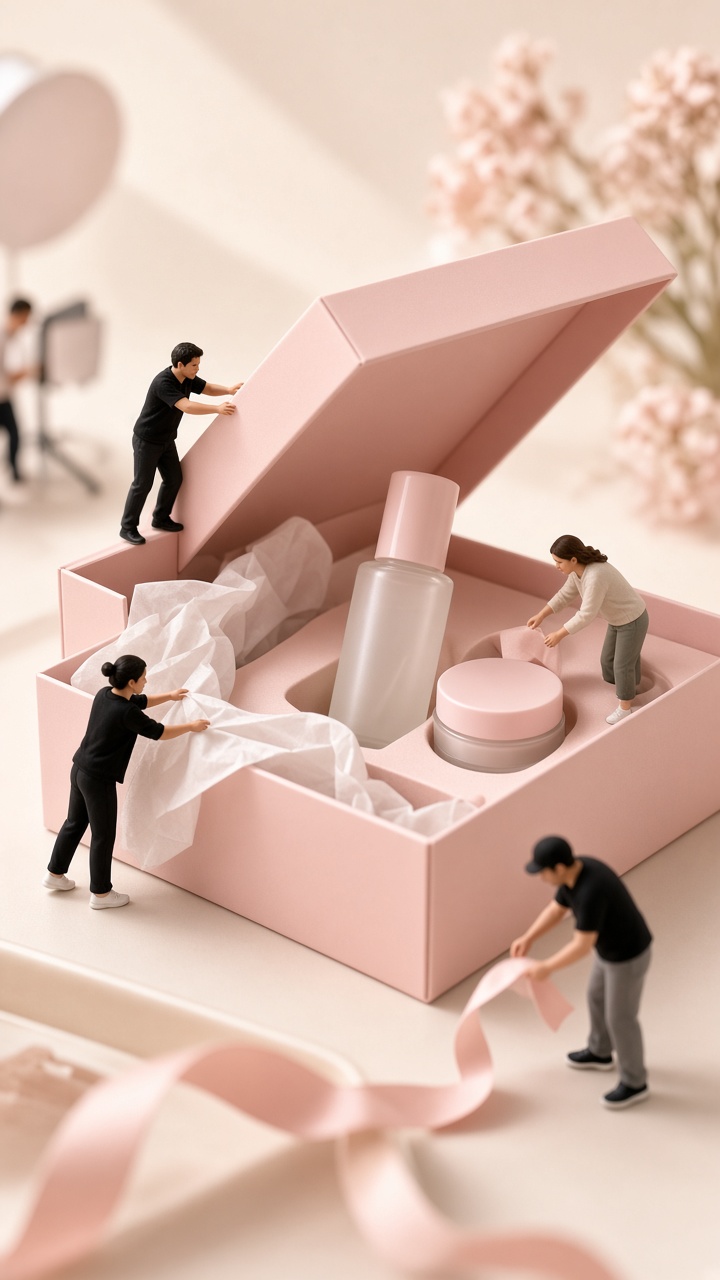
The packing crew adds a behind-the-scenes feeling without showing a real warehouse. It works best when the product can sit beside one simple packing prop: tissue, a mailing box, a sticker sheet, or a small thank-you card. Leave a clear route between the prop and the product, so the scene reads as a process rather than a pile of objects.
Prompt direction
Try: “Close product packshot of a skincare gift box, miniature fulfillment team carefully placing tissue paper and a thank-you card beside the box, one tiny worker carrying a parcel label, clean pale background, realistic shadows, crisp packaging detail, vertical commercial composition.”
Make the workers look busy, but give each one a separate task. One carries. One folds. One points. Repeating the same pose makes a generated scene feel staged. For video, animate only the tissue edge, a hand-off, or a label being pressed down. Small motions sell the illusion better than a frantic factory sequence.
This is a smart fit for order-packing clips, seasonal shipping reminders, and ads that want to signal care without showing a full team on camera.
3. Mini repair shop
Turn the product into a playful workshop project. A tiny technician can polish a watch face, paint a sneaker detail, tighten a cap, or inspect a speaker grille with a magnifier. This version suits products with texture and craftsmanship. It gives the viewer a reason to look closer at the finish.
Prompt direction
Try: “Luxury wristwatch standing upright on a charcoal studio plinth, miniature watchmakers polishing the bezel and inspecting the face with a tiny lamp, precise realistic miniature figures, rich metal reflections, product centered and fully visible, premium advertising photograph.”
Choose one surface detail as the worker target. A technician on the bezel makes sense. A technician floating over the logo does not. Add one tool that matches the task, such as a cloth, brush, wrench, or inspection lamp. Avoid oversized machinery. It can pull attention away from the product and make the scale confusing.
Use this approach for accessories, beauty packaging, tech, footwear, and handmade goods. It also works as a short before-and-after sequence: the plain product appears first, then the miniature crew arrives and the final polished shot lands.
4. Launch-day build
For a more energetic ad, make the crew assemble a visual stage around the item. Tiny workers can raise a backdrop, roll out a runway, hang a small banner, or set miniature lights. The product becomes the star of its own launch event. This version is useful when a new colorway or limited drop needs more drama than a standard white-background image.
Prompt direction
Try: “Bright red running shoe on a minimal white pedestal, miniature event crew building a tiny launch stage around the shoe, small spotlights and a rolled runway, clean high-end ecommerce styling, realistic scale, uncluttered composition, vertical ad frame.”
Give the scene breathing room. Keep the background plain and reserve the lower third for the workers and props. Put the product in the center or just above center, with the logo facing camera. If text will be added later, leave one clean side of the frame empty.
This look suits launch teasers, colorway announcements, paid social openers, and email headers. Cut it into two shots: a wide view that reveals the build, then a close crop that holds on the product.
How to make the miniature worker effect look real
Start with one clean hero product photo. Bright, even light and a readable front label matter more than a complicated set. Pick a single story for the crew: styling, packing, repairing, or building. Mixing all four in one frame makes the concept muddy.
- Use two to four workers. More figures can hide the product and create visual noise.
- Match the light. Workers need shadows that fall in the same direction as the packshot.
- Protect the product edges. Do not place a figure across the logo, cap, or hero detail.
- Choose one camera angle. A close eye-level product shot works better than a wide overhead scene for this illusion.
- Plan the crop. Build for 9:16 first if the asset will lead a Reel, Short, or product ad.
Before exporting, view the image at phone size. If the workers read as specks, enlarge them slightly. If the product feels like a background prop, reduce the number of tools and clear the space around it. The best miniature worker effect feels simple: one strong product, one tiny story, and one detail worth replaying.
For more product-video ideas, browse the VideoMagic blog.
Make this for your own products in VideoMagic
Turn a plain product photo into scroll-stopping video – free to start.