Fashion Week product effects turn a simple packshot into something that feels pulled from a backstage street-style feed. Think direct flash, sharp shadows, polished metal, rich color, and a hint of motion beyond the product. The formula works because the product stays easy to read while the frame carries a point of view. Use it for a launch, a limited colorway, a seasonal drop, or a paid social cut that needs to stop a thumb fast.
How to build Fashion Week product effects
Start with one clean product photo. A front three-quarter angle works well for shoes, bags, bottles, and eyewear because it shows shape without flattening the item. Keep labels readable. Remove busy props before adding any editorial treatment. The point is not to hide the product behind fashion cues. It is to make the product feel like it belongs in that world.
Pick one visual tension for each frame: hard flash against a soft background, a glossy item on rough concrete, or a quiet product against an electric color. Trying to use all of them at once usually makes the ad look like a mood board. A short shot list also keeps the campaign consistent. Adobe’s fashion photography guide makes the same practical case for a clear vision and intentional styling.
For AI-assisted production, upload the clean packshot first. Describe the surface, lighting direction, palette, camera distance, and what must remain unchanged. Say that the logo, material, silhouette, and product color should stay accurate. Then create a wide hero frame and a tighter detail crop from the same direction. Those two assets can become the first and last beats of a six-second vertical edit.
Look 1: Concrete pedestal flash
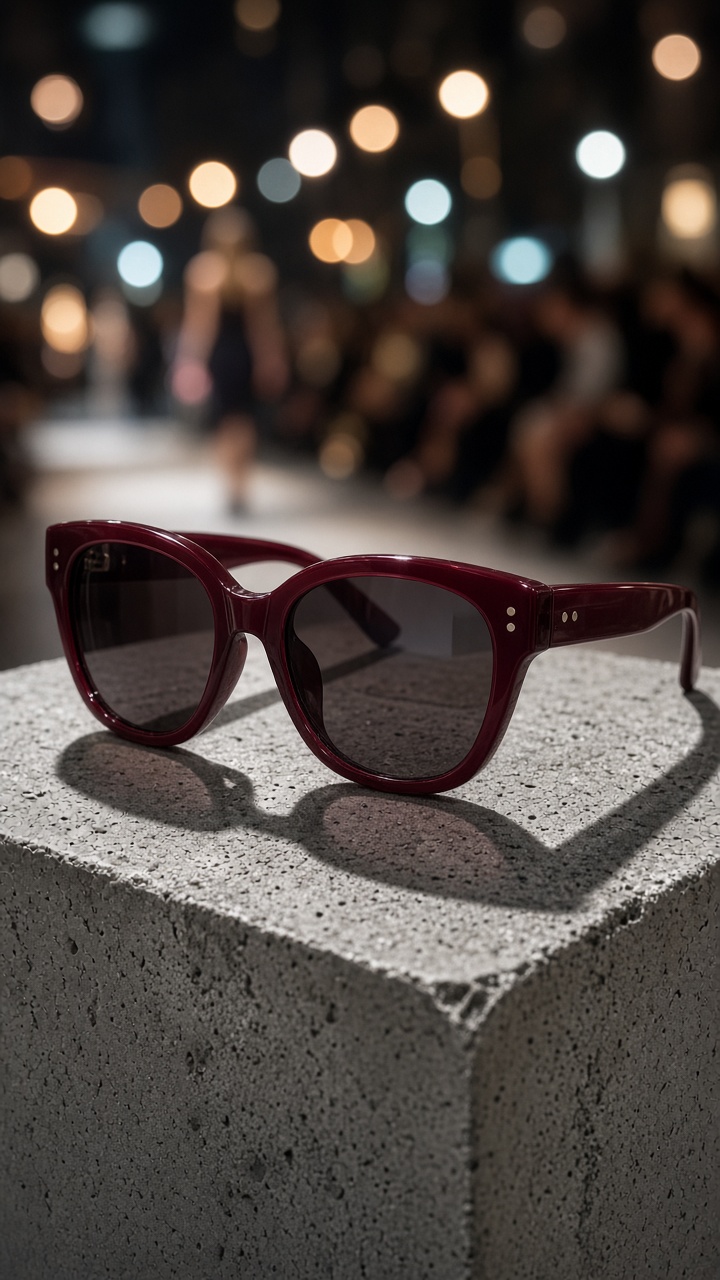
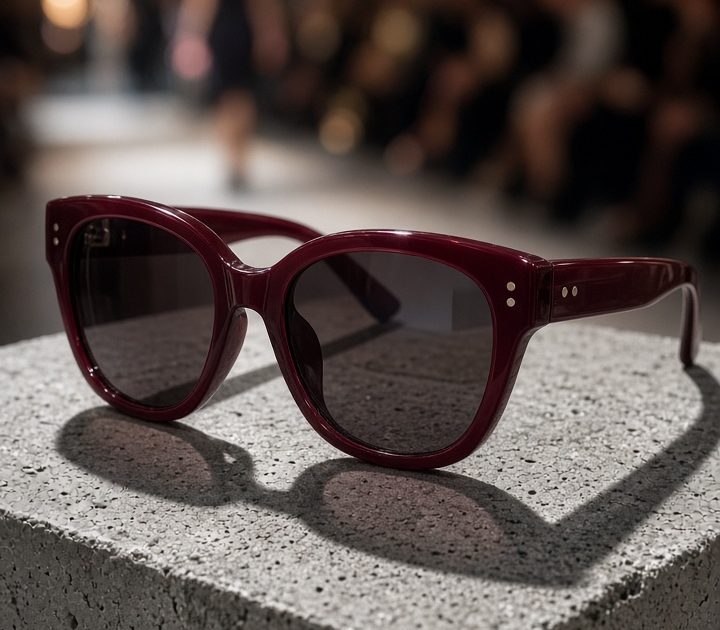
This is the cleanest of the four Fashion Week product effects. Place the item on a low concrete plinth or a pale stone block. Use a direct on-camera flash look from slightly above eye level. Let one edge fall into a crisp shadow. The empty space around the object matters as much as the object itself, so do not crowd the frame with flowers, hands, or text.
Example prompt: “Burgundy cat-eye sunglasses on a low raw concrete pedestal, direct camera flash, hard clean shadow cast to the right, pale grey studio wall, luxury fashion editorial product photography, vertical 9:16, keep the sunglasses shape and color exact.”
Use this look when the product has a strong outline. Sunglasses, a sculptural fragrance bottle, a heel, or a watch all hold up well. For a carousel, make the first slide wide enough for a headline. Make the second slide a close crop of the hinge, buckle, cap, or texture. That small detail gives the ad a more expensive feel without adding production clutter.
Look 2: Runway-light backdrop
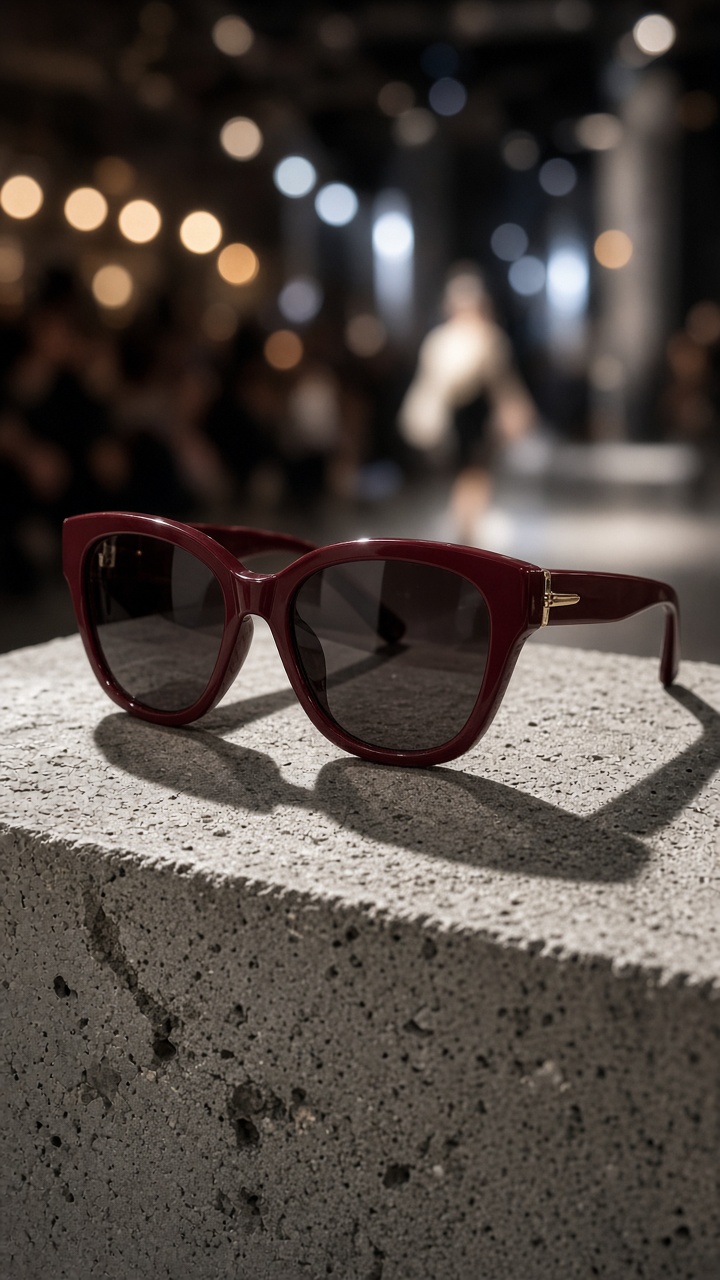
Runway-light treatment gives product video effects a sense of arrival. Keep the item sharp in the foreground, then add soft white or amber lights in the distance. The background should read as a venue without becoming a literal fashion show. A little lens bloom helps. Heavy bokeh, crowd faces, and visible logos pull attention away from the product.
Example prompt: “Keep the product sharp in the foreground on a black lacquered surface. Add a dark fashion-event backdrop with soft out-of-focus warm runway lights, subtle flash reflection, restrained motion blur at the edges, vertical product ad, no people, no text, preserve product branding.”
This works best as an opening frame for Reels, Shorts, and Story ads. Begin with the product still for half a second. Then push in slowly while the background lights drift sideways. End on the logo or a close material detail. Keep the move slow. Fast camera movement can make a premium item look like a low-budget club clip.
Look 3: Mirror crop and flash
A mirror adds depth without asking for a full set build. Set the product near the lower third of the frame and let the reflection show only part of it. An imperfect crop makes the image feel more like an editorial contact sheet than an ecommerce listing. Use a silver, smoked, or slightly scratched mirror for character. Avoid a flawless full reflection unless the brand already has a sleek beauty look.
Example prompt: “[Product] beside a smoked silver mirror, partial reflection cropped at the frame edge, direct paparazzi-style flash, deep charcoal background, subtle fingerprints on mirror, fashion magazine product still life, vertical 9:16, product label clear and unchanged.”
Use this treatment for jewelry, skincare, chrome hardware, and accessories. It is also a useful answer when only one product photo is available. Create a hero image with the full item, then make a second version where the reflection fills half the screen. In video, reveal the real product from behind the reflection. The transition feels deliberate and needs no extra prop.
Look 4: Color-block close-up
For the boldest version of Fashion Week product effects, choose one saturated backdrop that picks up a small color from the product. A red handbag can sit against dusty pink. A cobalt sneaker can sit against a deeper blue. Match tones, not exact swatches. Exact matching can erase the product edge, especially on smaller phone screens.
Example prompt: “Studio close-up of [product] against a saturated cobalt paper background, direct flash with a small soft fill, bold graphic composition, slight crop at the edge, high-fashion beauty campaign mood, vertical 9:16, accurate product color and logo, no extra objects.”
Make the product occupy 60 to 70 percent of the frame. Leave one corner calm for a price, drop date, or short claim added later. This layout earns its place in paid social because it stays readable when the platform adds buttons and captions over the lower screen. Test the final asset with the text safe zone visible before exporting.
Production checklist for editorial product video effects
- Use one hero color and one supporting surface in each frame.
- Keep logos, seams, packaging text, and product proportions accurate.
- Make a wide frame, a close detail, and one motion-ready crop from each look.
- Use vertical 9:16 for short-form placements, then crop a square version for catalog and feed use.
- Save the clean packshot so the next campaign can reuse the same product reference.
The fastest route to a stronger campaign is consistency. Pick one of these Fashion Week product effects for the launch hero, then use a second as the retargeting creative. The first ad establishes the mood. The second gives shoppers a fresh angle on the same item. For more practical ways to turn catalog photos into ads, browse the VideoMagic blog.
Make this for your own products in VideoMagic
Turn a plain product photo into scroll-stopping video – free to start.