Cinematic mirror product effect styling gives a basic packshot the depth that stops a thumb. The formula stays simple: one hero item, one reflective surface, and one controlled light. A warped reflection feels premium, yet the frame remains spare enough to read in a Reel cover, product carousel, or paid social placement.
The best version does more than look glossy. It gives shoppers a second angle on the product, brings out texture, and adds tension before any copy appears. Keep the hero item sharp. Let the reflection do the strange, cinematic work.
Why the cinematic mirror product effect works
A flawless reflection can look like a catalog shot. A wavy mirror, rippled acrylic sheet, or folded chrome card changes the mood. The distortion implies motion even in a still, while the reflected view can show a label edge, closure, or silhouette that the main angle misses.
That balance matters in e-commerce. The product still needs to be easy to inspect. Adobe’s product photography guidance makes the same practical point: lighting and composition should help shoppers understand the item. Use the mirror as a styling device, not camouflage. Keep the product name, color, and important material cues readable.
Start with a dark background and one hard source placed slightly above and to one side. Leave one side of the frame quieter than the other. That negative space gives room for a price, launch date, or three-word hook when the still becomes an ad.
Four luxe mirror looks to try
1. Cobalt fragrance on chrome
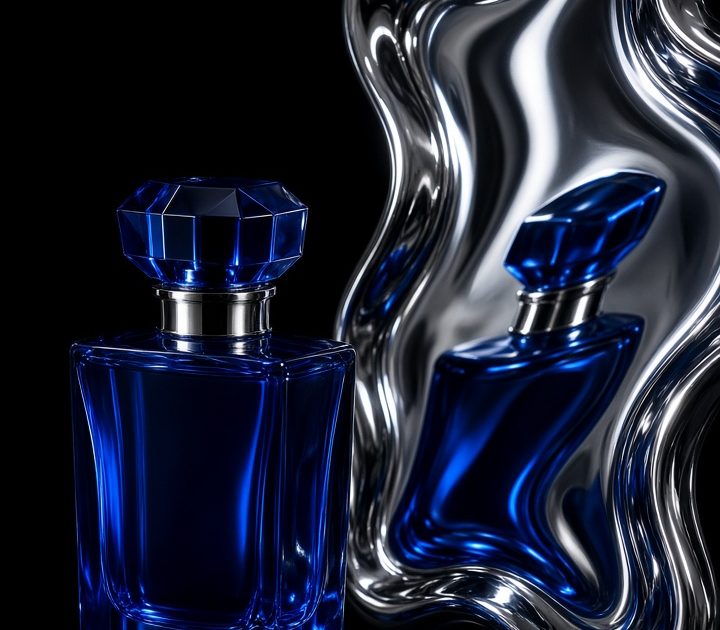
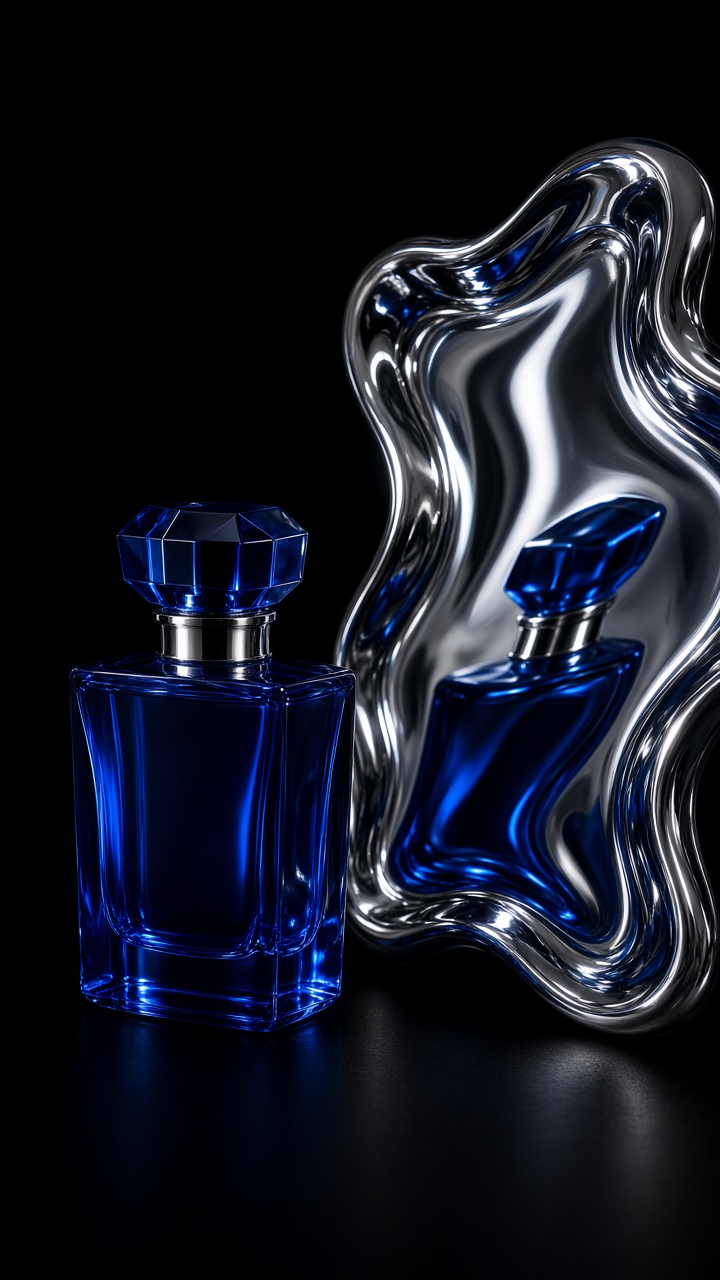
Use a saturated bottle against black or midnight blue. Put a bright flash highlight on one shoulder, then allow the chrome surface to bend the bottle into a softer second shape. The main bottle should sit just off center. Place the reflection low in frame so it feels discovered rather than copied.
Prompt to try: “Cobalt glass perfume bottle on a wavy chrome mirror, midnight blue backdrop, single hard flash from upper left, crisp label, deep shadows, premium beauty campaign, vertical 9:16.”
For a launch asset, shoot the bottle facing forward first. Then create a second version with the cap turned a few degrees. Cut between them in a two-second video. The shift feels intentional and gives a scent launch more drama without hiding the packaging.
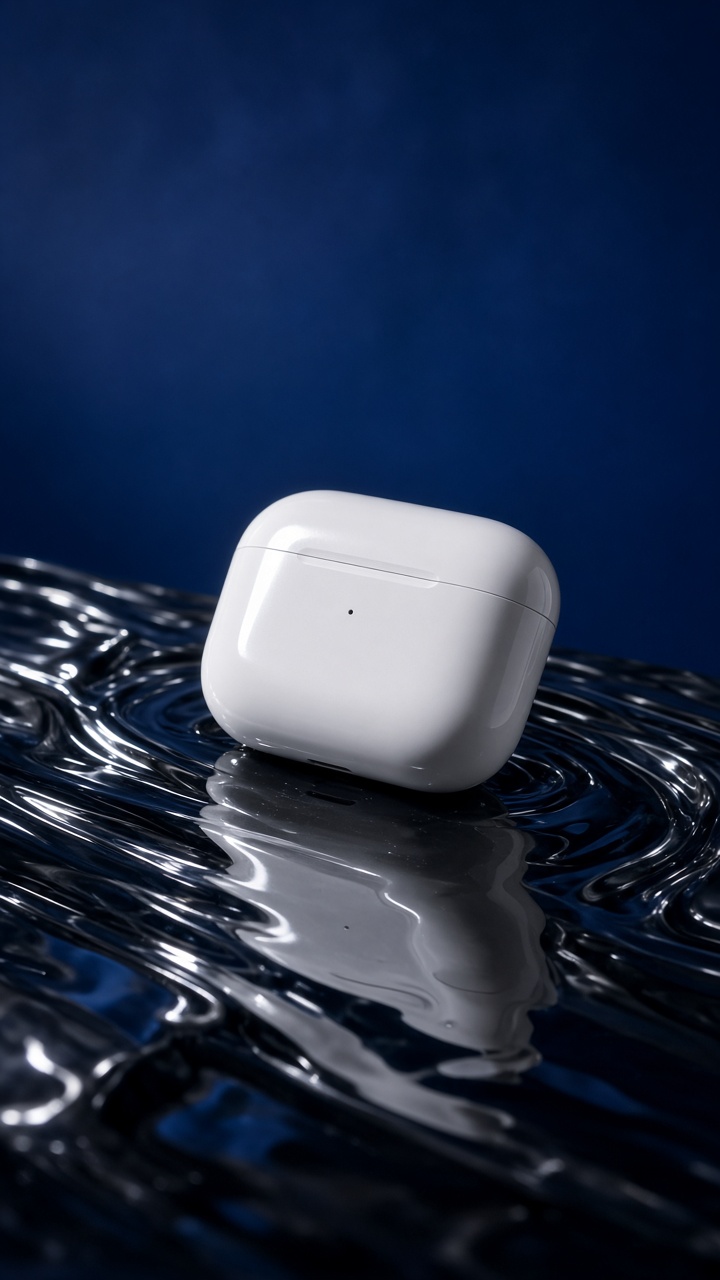
2. Soft tech with a rippled reflection
Small tech needs warmth. Put a headphone case, earbuds, or a slim charger on smoked acrylic, then use a colored background that matches the product finish. The ripples prevent the shot from feeling sterile, while the main object remains clean enough for a feature callout.
Prompt to try: “Matte ivory wireless earbud case on rippled smoked acrylic, soft lilac background, narrow silver edge light, gentle warped reflection, clean premium technology ad, vertical frame.”
Keep fingerprints and dust out of the reference photo. On a real set, tilt the acrylic until the reflected lid catches a highlight. In an edit, describe only the reflection and light direction at first. Smaller changes protect the product shape. Use this look for an unboxing opener, a colorway drop, or an ad that needs one clear benefit beside the product.
3. Beauty compact with a split reflection
A compact, lipstick, or serum tube works well with two narrow mirror strips instead of one large surface. Angle the strips so one catches the logo and another catches the color. The result feels graphic, almost like a magazine beauty page, but still gives the buyer useful detail.
Prompt to try: “Rose gold makeup compact on black glass with two angled mirror strips, reflected logo and blush color, direct flash, soft pink haze, editorial beauty ad, 4:5.”
Use a pale background for complexion products and a darker one for metallic packaging. Avoid a reflection that doubles the logo exactly; it can look messy at phone size. Crop close, leave a clean top corner for text, and use the frame as the final still in a shade-range carousel.
4. Jewelry on a folded mirror card
For rings, watches, or sunglasses, swap the broad mirror for a folded card of polished metal. The crease makes a crisp line behind the product and creates a reflection with more shape than a flat tabletop. It also gives tiny items enough scale to hold a full-screen vertical frame.
Prompt to try: “Silver signet ring on a folded polished steel mirror card, charcoal background, sharp side flash, controlled reflection, high-end accessory campaign, macro detail, vertical 9:16.”
Bring the product close to the fold, not directly on it. The reflected metal then frames the item instead of swallowing it. This is a strong treatment for a gift guide, a limited-edition finish, or a detail-led retargeting ad where the viewer already knows the product.
How to turn the look into a short ad
Build the first frame before thinking about motion. Put the product close to the reflective material, leave a little dark negative space, and add one hard light rather than filling every shadow. Check the image at phone size. If the product does not read in one second, simplify the reflection.
- Choose one product feature the reflection can reveal: color, cap, texture, or silhouette.
- Set a vertical 9:16 frame and keep the product within the center third.
- Use a wavy, rippled, or folded surface. Flat mirrors rarely create enough tension.
- Make one clean hero still, then create a second angle with a small light or mirror shift.
- Animate only one movement: slide the product forward, tilt the mirror, or sweep light over the edge.
- End on the cleanest packshot so shoppers can read the label before the CTA appears.
For generated variants, ask for a single product, exact finish, background color, surface type, and light direction. The official model page for the image tool used in these examples lists fixed aspect-ratio and image-editing options. Keep the first pass focused. Add props only after the reflection and silhouette work.
Use the cinematic mirror product effect for fragrance launches, premium beauty drops, accessory collections, compact tech, and seasonal color reveals. It earns attention because it makes one item feel like a small scene. The trick is restraint: one product remains the subject, and the reflection supplies the second beat.
For more product video ideas, visit the Liquid Chrome Product Effect guide.
Make this for your own products in VideoMagic
Turn a plain product photo into scroll-stopping video – free to start.