
Lenticular product effect images make a still product shot feel like it moves when the viewer scrolls past it. The look uses repeated angles, fine vertical ridges, and a tiny shift in perspective to suggest motion without turning the asset into a video. It is popping up in beauty, footwear, tech, and home ads because it makes a simple packshot feel physical and a little unexpected.
Why the lenticular product effect works
Static product photography has one job: show the item clearly. A lenticular treatment keeps that clarity, then adds a reason to pause. Instead of a random collage, the repeated object reads as one product caught at three moments of movement. That makes a bottle seem to turn, a shoe seem to sprint, or a speaker seem to pulse.
The effect works best when the product silhouette stays clean. Give it a plain stage, one decisive light source, and room around the object. A busy room fights the illusion. A restrained background lets the ridges and shifted copies do the work. The result still fits a store grid, a paid social crop, or a launch email hero.
For image generation, a model with strong layout control helps preserve the object while arranging the repeated angles. The Seedream V5 Pro model page describes image generation and reference-guided edits that suit this kind of controlled product treatment. Keep the prompt focused on the visual result rather than asking for a complicated story.
4 lenticular product effect directions to try
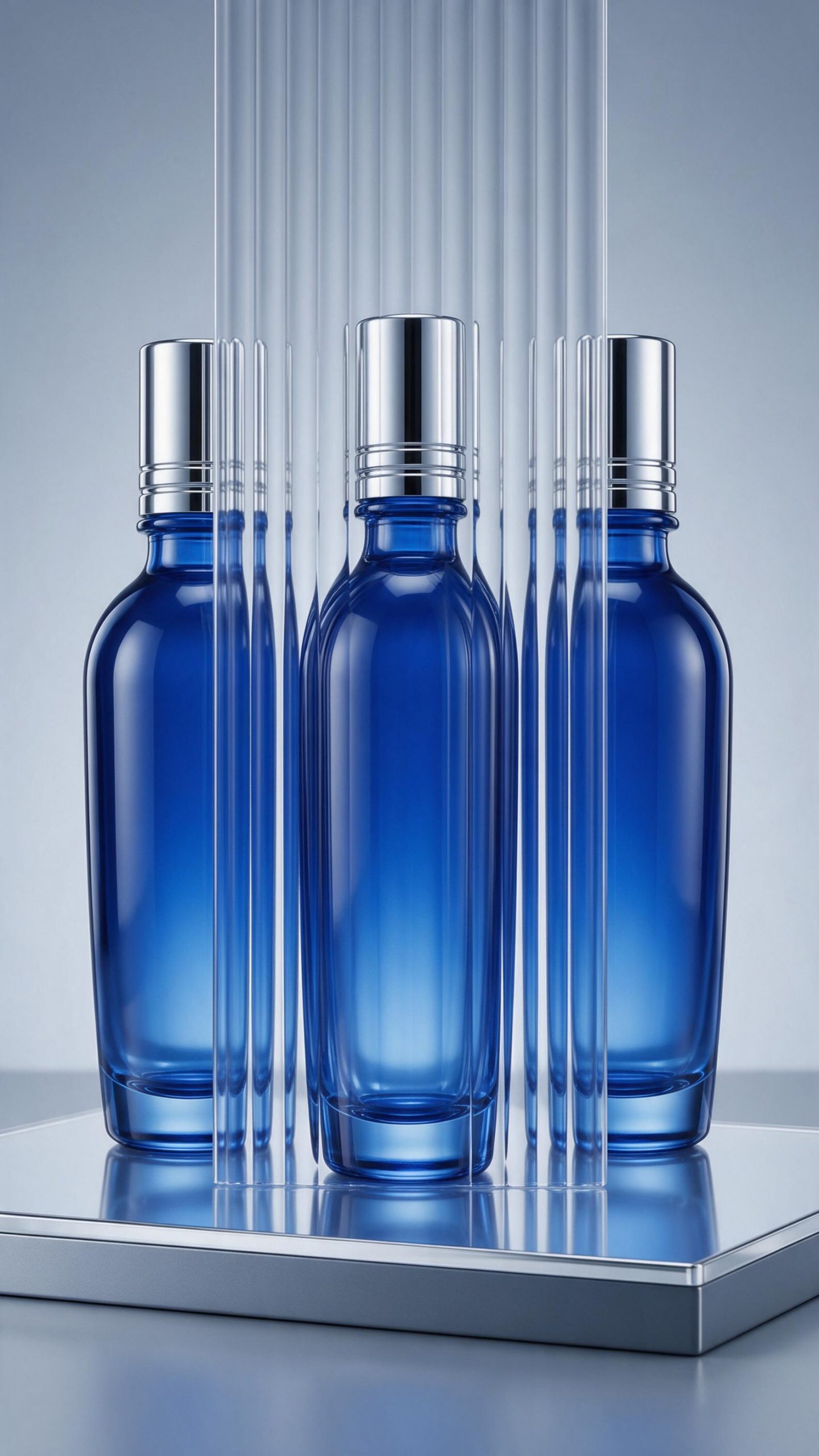
1. The clinical serum turn. Blue glass, chrome, and a reflective plinth make the effect feel precise. This direction suits serums, supplements, and tools that need a premium but clean impression. Keep the repeated views close together. Large gaps turn the treatment into a triptych instead of a motion cue.
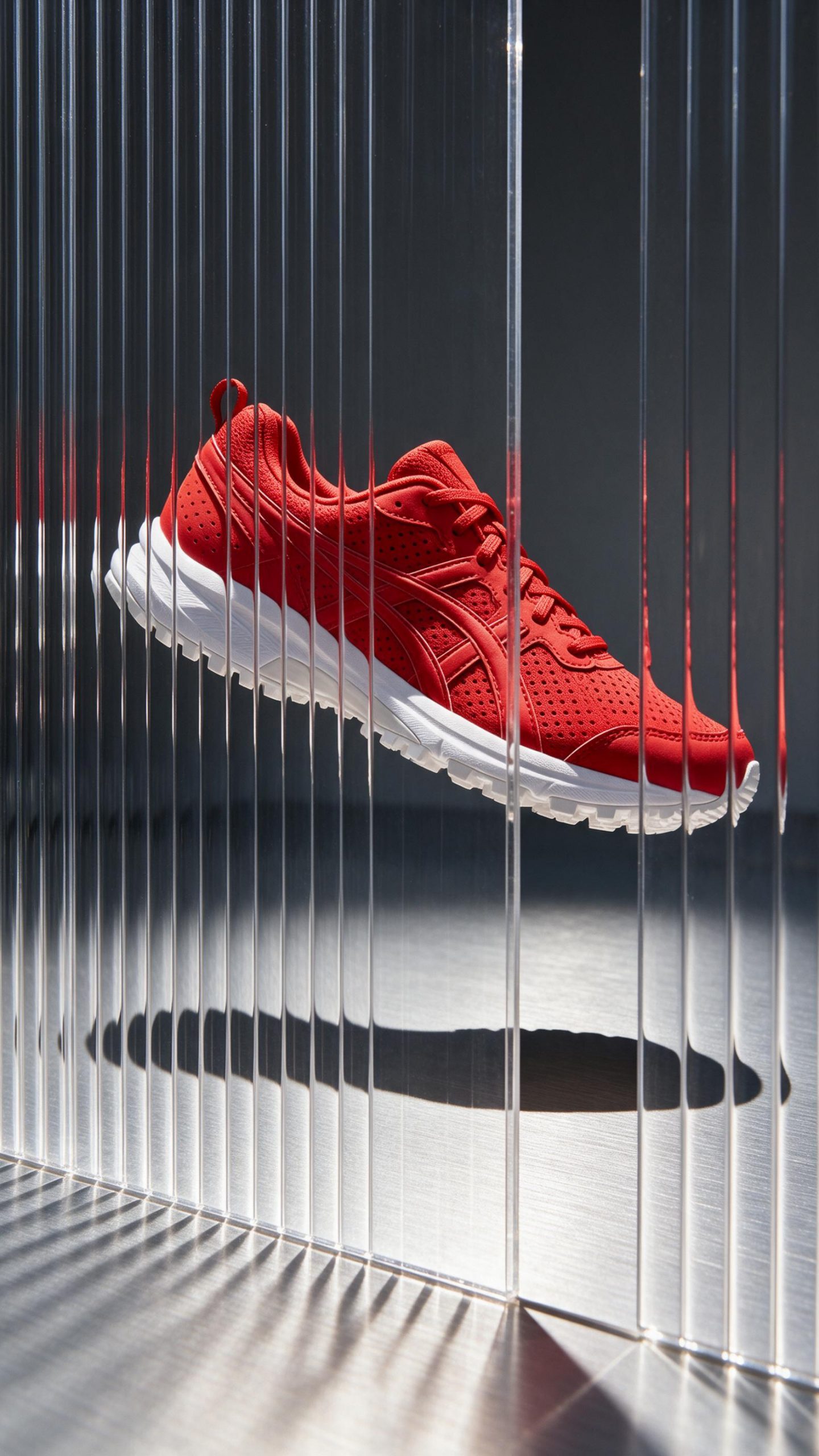
2. The mid-air shoe. A suspended shoe gives the effect a built-in action story. Use hard side light and a visible shadow to ground it. This is a strong opening frame for a shoe launch because the shape remains readable even on a small screen. Choose one hero color, then let the background stay quiet.
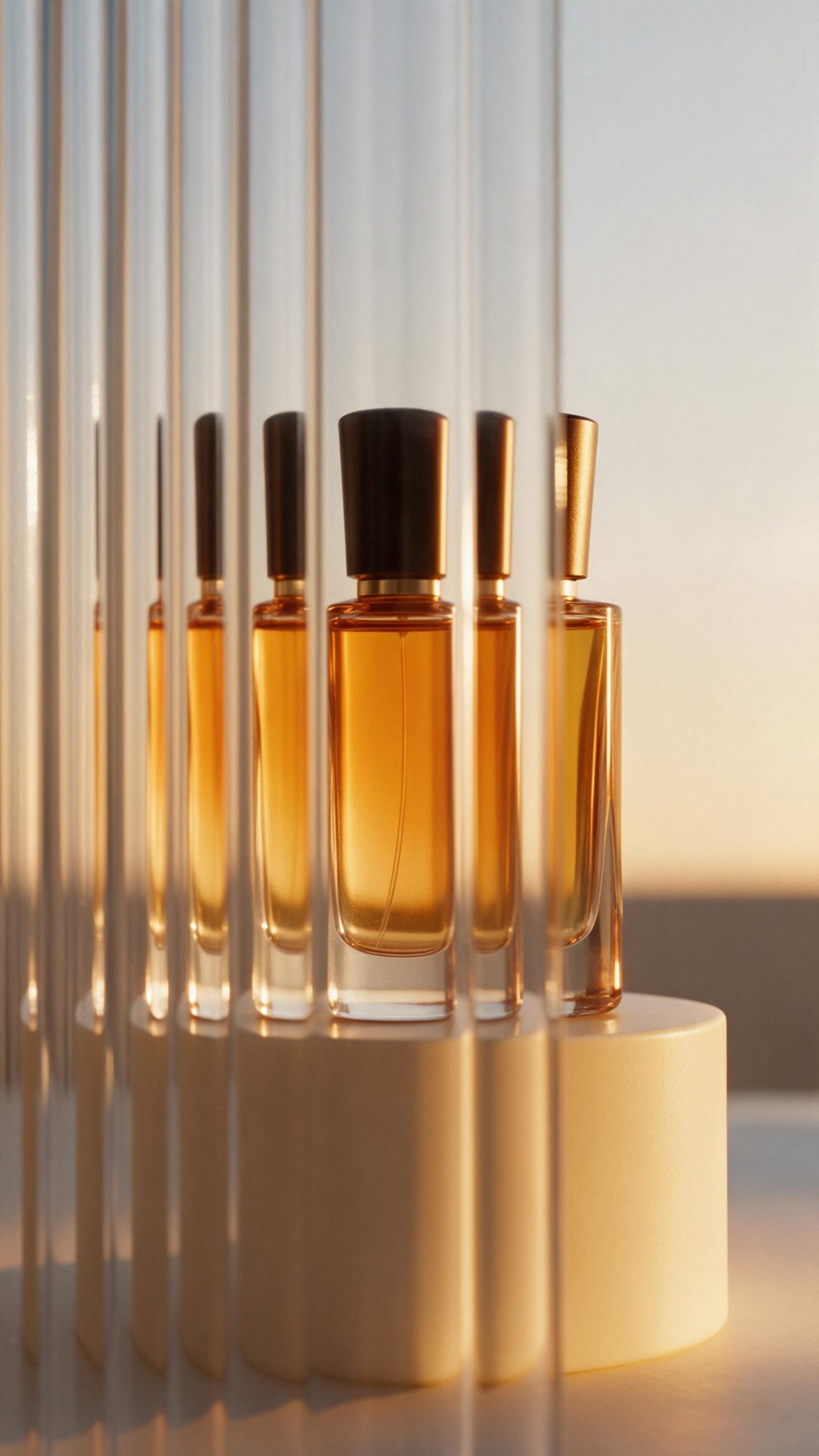
3. The fragrance echo. Soft amber light makes the three positions feel like a slow turn rather than a glitch. It works for candles and accessories too. Avoid dense flowers or props here. One pedestal and a gentle gradient provide enough atmosphere without hiding the product.
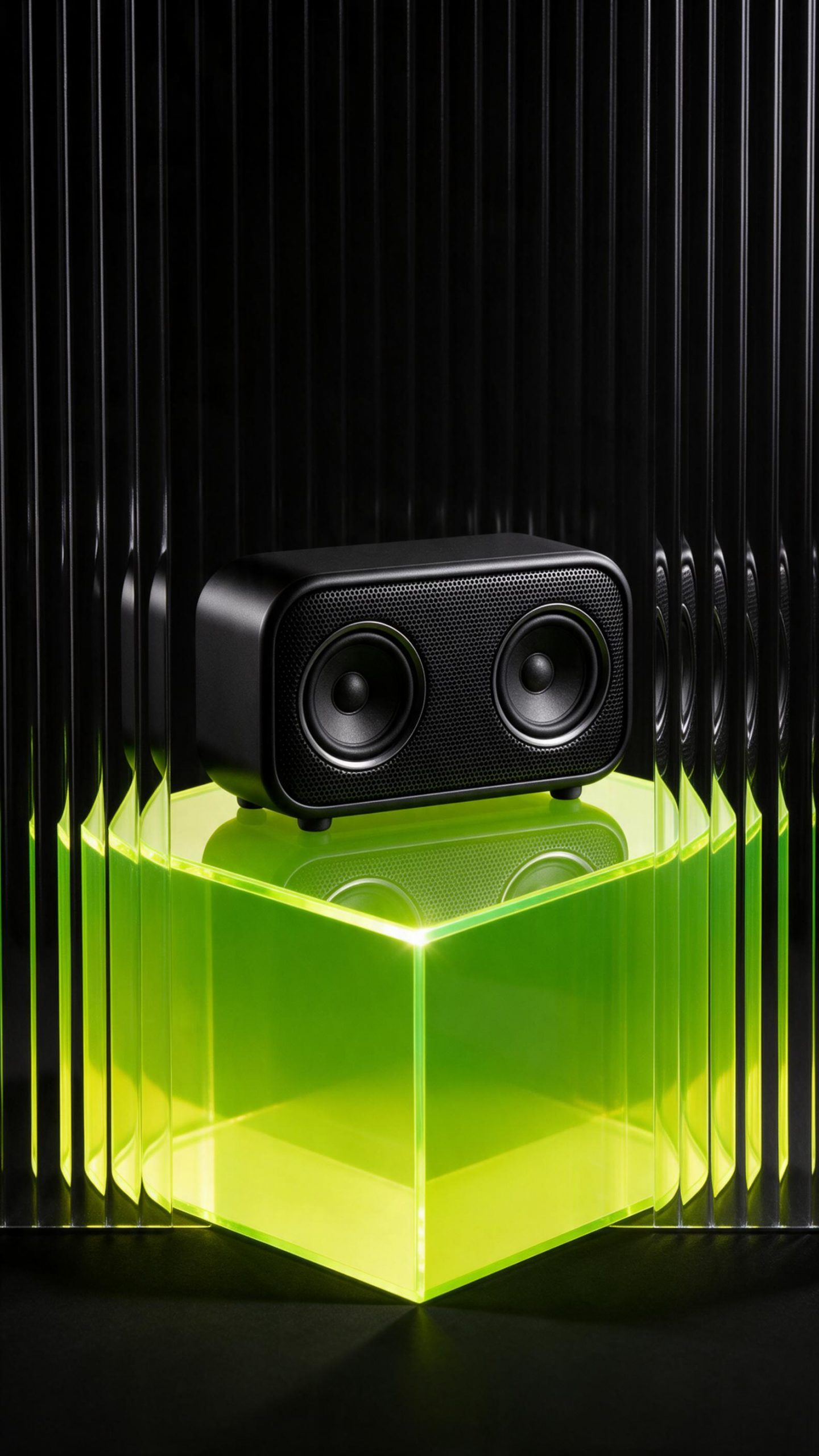
4. The direct-flash device. Tech products can look flat when every surface is black or gray. A single acid-bright pedestal fixes that fast. Direct flash creates crisp edges and a graphic shadow, while the shifted speaker views hint at sound and energy. This treatment also works for headphones, controllers, and compact cameras.
How to make the lenticular product effect
- Start with one hero product. Pick the item with the clearest silhouette. A tall bottle, shoe, speaker, bag, or compact device reads better than a crowded bundle.
- Name the movement. Ask for three slightly shifted angles, a turning object, or sequential side views. Small shifts look intentional; dramatic changes make the product feel inconsistent.
- Specify the lens cue. Use phrases such as vertical lenticular ridges, ribbed acrylic foreground, or fine glass ribs. Add controlled motion illusion so the texture supports the idea.
- Lock the styling. State one background material, one light direction, and one mood. For example: brushed silver floor, hard sunlight, sharp shadow.
- Generate portrait first. A 9:16 composition gives room for short-form placements. Keep the object in the center third so it survives a feed crop.
- Finish in VideoMagic. Add a small push-in, a side-to-side camera move, or a quick cut between the clean packshot and the lenticular frame. The difference sells the reveal.
Production tips that keep the effect believable
Do not treat every product like a fashion editorial. Match the surface to the item. Stainless steel and direct flash suit sports and tech. Cream paper and warm side light suit fragrance. Clear acrylic and cool highlights suit skincare. The lenticular product effect should add energy without changing the product category.
Check the result at thumbnail size before building a campaign. If the three positions merge into a blur, increase edge contrast or simplify the background. If they look like three separate items, request smaller angle shifts. A good version lands between those two failures: the item stays unmistakable, but the eye senses movement.
Keep packaging claims, labels, price badges, and tiny copy out of the generated image. Add approved brand text later in the ad editor if needed. That protects legibility and keeps the visual reusable across placements. For general product-photo framing advice, the Shopify ecommerce photography guide is a useful refresher on keeping the item clear.
The fastest test is a four-frame set: one cool beauty image, one warm luxury image, one hard-flash tech image, and one action-led sports image. Run them as separate creatives, then keep the lighting treatment that gets the longer pause and stronger click-through. The effect is the hook; a clear product and a clean landing page still close the sale.
Make this for your own products in VideoMagic
Turn a plain product photo into scroll-stopping video – free to start.